Social Icons

Pages

Saturday, November 27, 2010

Motorola Defy coming to Philippine retail stores this December

main.jpg
One of the biggest frustrations we have is Motorola not having presence in the Philippines. Oh, well. At least the Motorola Defy is still coming to town. And when we say "town," we're not talking about the Greenhills that we know, mind you. We mean major retail stores. Yep, our source says that this tough Android handset will make itself comfy on local store shelves this December, the second week being the soonest, with the asking price of P23,000 more or less.
For those who are unfamiliar with the Motorola Defy, it comes with Android 2.1 Eclair (upgradable to Froyo) with Motoblur UI, a 3.7-inch capacitive touch screen, a 5-megapixel camera with auto-focus and LED flash as well full wireless connectivity options. A TI OMAP3610 800MHz CPU partnered with 512MB RAM run the device's show.
For all its bells and whistles, the one thing that separates the Defy from most other Androids is its courage to go through the bumps and grinds, literally. This tank of a mobile phone is stamped with the "proof" tag (read: scratch-proof, dustproof, and waterproof). The good thing is it still maintains a pretty good-looking, albeit usual, facade, given that it's one rugged phone.
We're excited about the Defy because tech sites heaved praises on this tough little cookie. Engadget was particularly amused by its speedy and seamless operation, good battery life, and looks. CNET was impressed by its call quality and slew of multimedia features even though it's a mid-level offering. MobileCrunch liked its lightweight frame and good looks as well as its ability to survive even when submerged in up to 3 meters of water. Ah, what's not to get excited about?

Motorola Defy specs
  • Network
    • 2G: Quadband GSM
    • 3G: HSDPA 900/2100
  • Processor: TI OMAP3610 800MHz processor
  • Screen
    • Type: TFT capacitive touchscreen
    • Size: 3.7 inches
    • Resolution: 480 x 854 pixels
    • Colors: 16 million
  • Memory
    • Internal: 2 GB storage
    • Expansion:microSD up to 32GB
  • Connectivity
    • Wi-Fi: 802.11 b/g/n with DLNA
    • Bluetooth: ver. 2.1 withA2DP (stereo)
    • Cable: microUSB 2.0
    • GPS: yes with A-GPS
    • FM Radio: yes
  • Input: capacitive touchscreen
  • Camera
    • Stills Resolution: 5 megapixels
    • Flash: LED
    • Image-stabilization: yes
    • Autofocus: yes
    • Geo-tagging: yes
    • Video Recording: yes
  • Operating System: Android 2.1 "Eclair"
  • Audio Formats Supported: MP3/WAV/WMA/AAC+
  • Video Formats Supported: MP4/WMV/H.263/H.264
  • Battery Life
    • Talk: up to 6 hours, 48 minutes
    • Standby: up to 238 hours
  • Size: 107 x 59 x 13.4 mm
  • Weight: 118g
source: techie.com.ph

Monday, November 22, 2010

Leaked: BlackBerry Bold 9700 OS 6.0.0.358


A few weeks ago OS 6.0.0.351 was spotted for the BlackBerry Bold 9700. This was a small step from from OS 6.0.0.344, which was the first OS 6 build to drop for the 9700. However, now OS 6.0.0.358 has risen to the surface on this beautiful Saturday. If you’ve got the time and a Bold 9700, this OS 6 build could be worth your while.
Download Bold 9700 OS 6.0.0.358 from:
*DISCLAIMER* – This is an unofficial RIM software release. If you choose to install, do so at your own risk! BB Leaks is not responsible for any malfunctions or abnormalities that may occur.

Thursday, November 11, 2010

Mac OS X 10.6.5 is Now Available for Download

Apple has just released the final version of Mac OS X 10.6.5 Snow Leopard. It is a crucial update and it implements hundreds of fixes since the last few updates, 10.6.4 (June 2010), 10.6.3 (March 2010) and 10.6.2 (November 2009). You can get the update from Snow Leopard’s Software Update, or directly from the Software Downloads page here.


Full official change log is as follows:
The 10.6.5 Update is recommended for all users running Mac OS X Snow Leopard and includes general operating system fixes that enhance the stability, compatibility, and security of your Mac, including fixes that:
- improve reliability with Microsoft Exchange servers
- address performance of some image-processing operations in iPhoto and Aperture
- address stability and performance of graphics applications and games
- resolve a delay between print jobs
- address a printing issue for some HP printers connected to an AirPort Extreme
- resolve an issue when dragging contacts from Address Book to iCal
- address an issue where dragging an item from a stack causes the Dock to not automatically hide
- resolve an issue with Wikipedia information not displaying correctly in Dictionary
- improve performance of MainStage on certain Mac systems
- resolve spacing issues with OpenType fonts
- improve reliability with some Bluetooth braille displays
- resolve a VoiceOver issue when browsing some web sites with Safari 5
You can see the full details associated with the update here.
Download Mac OS X 10.6.5 Snow Leopard (Combo)

source: redmondpie

Sony Ericsson "ANZU" seen in the wild

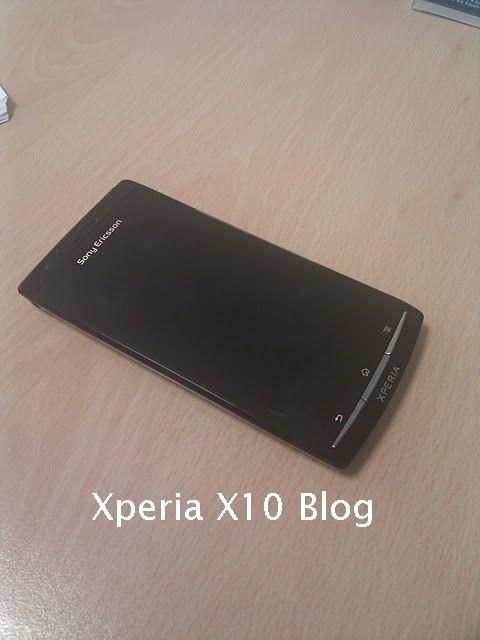
Our tipster has come back to us with some more details surrounding Sony Ericsson’s next Android flagship, codenamed ‘ANZU’. The phone is an early prototype currently running Android 2.1, but will use Android Gingerbread on retail launch. Even in its current state the phone is said to be very fast (no idea of CPU or RAM for now) but it will record at 1080 resolution and come equipped with a front-facing camera and HDMI port.
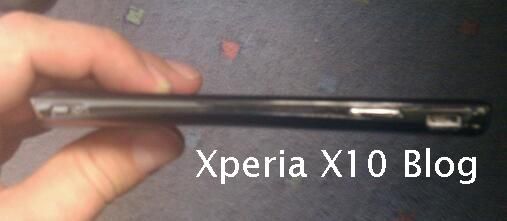
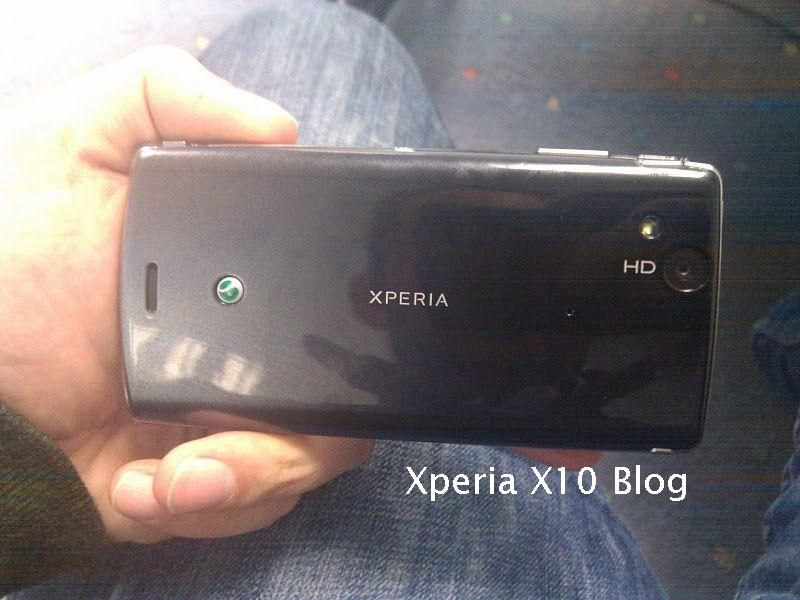
As you can see from the pictures below, the handset is very slim (thinner than the Galaxy S) and feels “very solid” in the hand. The display was also given particular credit with “very crisp” and “vivid colours”. There’s no idea what kind of display it is using, but let’s at least hope SE has implemented multi-touch this time.
Interestingly, our tipster goes on to say that the phone may be branded as a BRAVIA phone instead of XPERIA, which would certainly be a departure. Current Xperia X10 owners will be glad to hear that the loudspeaker and in-ear performance of the ANZU is much clearer/louder than the X10.
Sony Ericsson ANZU

Sony Ericsson ANZU

Sony Ericsson ANZU

Wednesday, November 3, 2010

LEAKED: Get BlackBerry 6 for your BlackBerry Bold 9700 Now!!


Bold 9700 OS 6.0.0.344

Well folks, the day has finally arrived. We are VERY excited to bring you OS6 for your Bold 9700! It seems after previously only seeing OS6 leaks for devices with 512mb device memory we finally have broken through to 256mb devices! With that being said, does this mean we will see OS6 developed for other 256mb devices? I sure hope so! Anyway, I haven't loaded this myself yet so there's no telling how it will actually run. Good luck and be sure to let us know how it runs!

Rapidshare
Megaupload
Deposit Files
Hotfile
ZShare
Fileserve
Depositfiles
Mediafire
Megashare
Rapidshare
Megaupload
Hotfile
BerryFX


*OS Disclaimer - Please Read: Keep in mind this is NOT  an official release and as such is not supported by RIM or your Carrier. If you choose to install, do so at your own risk and only if you're comfortable in the process of upgrading and downgrading your device software. Driphter.com is not responsible for any loss of data or other issues that may arise during the loading process. Please do not forget to back up your data prior to loading!

Source: driphter.com  willyboy6

Wednesday, October 27, 2010

The PSP: aka Playstation Phone

Meet The PlayStation Phone


Sony has finally done it. They've mated a Sony Ericsson cell phone with a PSP, spawning this... the PlayStation Phone. Don't call it the PSP2, please. That's something else entirely.
Engadget has first pics of the PlayStation Phone prototype, hopefully just its ugly duckling stage, with the gadget blog saying it's "headed into the market soon." As noted in previous reports, the PlayStation Phone is rumored to be based on Google's Android 3.0 platform and sport a "custom Sony Marketplace which will allow you to purchase and download games designed for the new platform."
The Sony Ericsson phone is also reported to pack in 1GHz Qualcomm CPU, 512MB of RAM, 1GB of ROM, and a screen "in the range of 3.7 to 4.1 inches."
What it doesn't have is an analog nub like the PSP and PSPgo. Instead, it appears that a touch-sensitive track pad on the slide-out controls will replicate the function of the PSP's analog controls. (UMD and Memory Sticks appear to be eliminated as well.)
That touch pad technology sounds similar to the tech featured in the genuine successor the PSP, which we're told has a touch pad on the back of the device as well as dual analog nubs for control. The PSP2, which Sony
has not yet officially announced, is said to be due fall 2011.

The PlayStation Phone [Engadget]

BlackBerry PlayBook First hands on video!

RIM has now uploaded the full video of its PlayBook's brief stint in the limelight during Adobe MAX yesterday, where Adobe CTO Kevin Lynch and none other than Mr. BlackBerry himself, RIM co-CEO Mike Lazaridis, take the "professional tablet" through its very first public test drive on the keynote stage. The duo run through an MRI scan viewing app -- presumably in an attempt to woo the lucrative medical market -- along with the PlayBook's Air-based video player and browser-embedded Flash player, both of which seem to work pretty well. We also get a quick look at the tablet's multitasking cards, where we see that apps continue to function even from within their card views; it looks pretty nice, but at a glance, it doesn't do any tricks webOS wasn't pulling off a year ago.

Interestingly, the edited video has a number of cuts -- some seem like harmless attempts to cut out boring parts, but there are a couple suspicious ones where we suspect something unsavory happened on the PlayBook or it ran just a little slower than RIM would've liked (of course, with the PlayBook's release still months out, they've got plenty of time to tighten that up while they wait for developers to submit their wares in exchange for a free PlayBook of their own). At the end, Lazaridis expertly skirts Lynch's question of when exactly the device will be released... and he didn't even need a seasoned PR rep standing next to him to deflect it! Follow the break for the full demo.


source: engadget

Smart Bro MiFi! (SmartBro Pocket WiFi)

Smart now has their own version of a portable 3G+WiFi router they called SmartBro Pocket WiFi. This new product competes head-on with Globe MyFi launched back in July.


The SmartBro Pocket WiFi is only available on a postpaid Plan 495 for 50 hours of 3G internet every month. You will also need to add another Php150 per month for the Pocket WiFi device for the next 24 month lock-in period (that makes Php645/month for 24 months).
An extra Php10 per 30 minutes will be charged on top of the MSF when you exceed the 50 hour allocation. The promised speed it up to 2Mbps. They even have a promo that if you pay on time, you get 5 hours free on top of your monthly allocation.
As of the moment, they do not have an unlimited plan, probably because this will compete with the SmartBro Share-It Unlimited Plan. However, unlike the SmartBro Share-It that is restricted to your area/city/province, the SmartBro Pocket WiFi has nationwide coverage.
Likewise, since this is a postpaid account, the Smart UnliSurf offers (Unlisurf200) are not applicable on this device. Not sure if this is also a Huawei device (probably a ZTE by the looks of it) but it can handle up to 5 WiFi devices at the same time.

source: yugatech.com

Monday, October 25, 2010

Moon Mayor: Astronaut Checks in to Foursquare from Outer Space

There’s a new first in the realm of outer space social media activity: a Foursquare checkin. Moments ago NASA astronaut Doug Wheelock checked in to the international space station, hence unlocking the “NASA Explorer Badge.”
If space travel isn’t in your immediate future, don’t fret — there will soon be a way for NASA enthusiasts to unlock the badge themselves by checking in to NASA-related venues.
The outerspace checkin officially kicks off a partnership between Foursquare and NASA, with NASA’s new Foursquare page offering a list of the venues where you can unlock the badge. Users will also get tips about those venues when they check in using their mobile device.
As an interesting related note, I moderated a panel earlier this year at TWTRCON New York with Foursquare CEO Dennis Crowley, who was asked by someone in the audience from NASA what they had to do to get a badge (a frustration for many brands), which drew a few chuckles from the crowd. Crowley answered something to the effect of “do something really unique,” and it would seem that’s what ultimately has transpired several months later.
NASA has been fairly ambitious in its own right when it comes to social media, however. Astronauts have been tweeting from space since 2009, and the recently launched NASA HD iPad app offers thousands of images that can be shared on Twitter and Facebook.
 

source: Mashable

Goodbye Bluetooth: Wi-Fi Between Devices Coming This Fall

By fall-2010, you could be transferring files, making phone calls, and printing your pictures from your camera, all without wires. That’s because Wi-Fi connections about to get a big upgrade that will allow millions of devices to talk directly to one another through the popular wireless standard.The Wi-Fi Alliance, the trade group governing Wi-Fi, has announced a new specification: Wi-Fi Direct, formerly Wi-Fi peer-to-peer. Any device certified as Wi-Fi Direct will be able to communicate with each other directly, without the need for a wireless hub. Watch out, Bluetooth – you’ve got some big competition now.

The new standard will be available in fall-2010, according to the Wi-Fi Alliance. It should be available as a software upgrade for older products and included in newer Wi-Fi devices.
The potential impact of this new Wi-Fi standard could be far-reaching. Not only will devices be able to “speak” to each other, reducing or even eliminating the need for wireless hubs, but this could be what makes cell phone and gadget makers add Wi-Fi to their own devices. Imagine being able to send videos straight to your TV from your computer or sending instructions from your netbook to your favorite gadgets.
Get your imagination revving, because Wi-Fi Direct looks to be a huge shift in not only wireless technology, but how we will use our gadgets, computers, and phones into the future.

Nokia X3 and C3 Touch & Type now available

Nokia yesterday demoed two of their “Touch & Type” line of mobile handsets — the Nokia X3 Touch & Type and the Nokia C3-01 Touch & Type, both of which has a physical alphanumeric keyboard and a resistive touch screen.
The original Nokia X3 was announced back in September 2009 and features a sliding alphanumeric keyboard. The newer sibling, the Nokia X3-02 Touch & Type, was revealed just this August and now has a resistive touch screen and a standard alphanumeric keypad.

Nokia X3-02 Touch & Type
2.4″ display 240 x 320 pixels
3G/HSDPA
WiFi 802.11 b/g/n
Bluetooth 2.1
up to 16GB via microSD
5MP camera
FM Radio
In line with its launch in the Philippines, Nokia has tied up with Globe Telecom to offer the Nokia X3 Touch and Type free starting at Postpaid Plan 999. Or, you have the option of buying the device at Php8,560 and get free 5 days of Globe SUPERSURF.

The popular qwerty Nokia C3 has a smaller sibling that comes with a resistive touch screen and regular alphanumeric keyboard. See our previous entry about the Nokia C3-01 here.

Nokia C3-01 Touch & Type
2.4 inches @ 240×320 pixels w/ resistive touchscreen
30 MB internal storage
64 MB RAM, 128 MB ROM
microSD, up to 32GB
HSDPA 10.2 Mbps, HSUPA 2 Mbps
WiFi 802.11 b/g/n
Bluetooth 2.1 with A2DP
5MP camera w/ LED flash
FM radio with RDS
Li-Ion 1050mAh battery
Unlike the original Nokia C3 which only sells for around Php7k, this other model will be priced much higher. Nokia Philippines did not indicate pricing of the C3-01 for the local market but says both will be widely available in stores this November. Will update this once they’ve provide the details.

-yugatech.com

Sunday, October 24, 2010

Smart named exclusive partner for Microsoft’s Windows Phone 7


"We are very happy to join forces with Smart as we bring an enhanced digital experience to the Filipino public through Windows Phone 7. With this partnership, we hope to maximize the potential of the smartphone market and let the Filipinos take full advantage of the benefits of the mobile lifestyle," shares Mr. John Bessy, Microsoft Philippines Managing Director

Mr. Napoleon Nazareno - Smart Communications President, on the other hand, shares --

"In the past year, we have seen a rise in the use of data—something that we have eagerly anticipated for quite some time now. We saw the surge in the use of mobile Internet—for e-mail, browsing and social networking—plus a host of other data-related transactions using Smart mobile phones. These developments are clear opportunities for Smart services to grow and move forward, to help us succeed in bringing our customers closer to the future of telecommunications."

Inquirer (story source) reports that the partnership venture between Microsoft and Smart actually started as early as last year. The two companies have, in fact, been working closely to provide a special combination of service platforms to [effectively] introduce Windows Phone 7 locally.

No wonder Smart let Globe snatch iPhone 4 just like that. The former has been cooking something big all along.

I have a good feeling about this. WP7 handsets could hit it big in the Philippines - considering how much Filipinos enjoy staying in touch with their online social networks and this is exactly the area in which this OS seems to excel on - but it all starts with affordable handsets and attractive plan bundles.

Watch Windows Phone 7 Demo via the link.

Saturday, October 23, 2010

Samsung Galaxy Tab will go for Php35k starting next week

The Samsung Galaxy Tab will arrive in the local market next week with a starting price of Php34,990 for the 16GB version.
Samsung Galaxy Tab
For those who are still not yet familiar with the Galaxy Tab, it’s a mid-sized tablet with a 7” display running on Android that’s supposed to rival Apple’s iPad. This one has more use than iPad because aside from browsing, you can also place calls and and send SMS messages. At the same time, you can also use it to read e-books, play Android games, watch videos, take photos, etc.
No word yet if Smart, Globe or Sun will be infusing the Galaxy Tab on their postpaid plans but the Php35k price tag is the unlocked version so feel free to use any sim card.
Here are some photos of the Galaxy Tab that I was able to use briefly a couple of weeks ago:
Samsung Galaxy Tab Samsung Galaxy Tab Samsung Galaxy Tab Samsung Galaxy Tab Samsung Galaxy Tab Samsung Galaxy Tab Samsung Galaxy Tab Samsung Galaxy Tab

Samsung Galaxy Tab P1000 Specs:


  • 7-inch TFT LCD @ 1024×600 pixel resolution
  • Android OS 2.2 Froyo
  • Cortex A8 1.0GHz w/ PowerVR SGX540
  • 512 MB RAM
  • 16GB and 32GB internal memory
  • up to 32GB via microSD
  • 3MP AF camera with LED Flash
  • 1.3MP front camera for video calls
  • Adobe Flash 10.1 player support
  • 3G (HSUPA 5.76Mbps, HSDPA 7.2Mbps)
  • WiFi 802.11n
  • Bluetooth 3.0
  • Gyroscope sensor
  • Geo-Magnetic sensor
  • Accelerometer
  • Light sensor
  • Li-Ion 4,000mAh battery
  • SRP: Php34,990

via www.pinoytechblog.com

'Farmville' Update Adds Universal Support – iPad Owners, Start Your Tractors


I'll be the first to admit that I don't understand the Farmville [Free] phenomenon at all. I've tried several times to get in to the game, and while I've been sucked in to other freemium social time sinks, Farmville just doesn't do it for me. However, this doesn't seem to stop nearly everyone I know on Facebook from constantly offering lost cows, free corn, and all kinds of other junk I can't even begin to understand why I'd want. If you do want those things, and own an iPad, you need to check out the latest Farmville update ASAP.
Here's a before and after of what playing Farmville on the iPad was like, and is like now:
There's also some high definition assets in the game for the Retina Display of the iPhone 4 and 4th generation iPod touch, but on initial inspection this seems to be limited to the splash screen and a few other graphics. Also, if you're super hardcore and have the Super Combine tractor, that's supported in the app now as well.
App Store Link: FarmVille by Zynga, Free (Universal) 
 

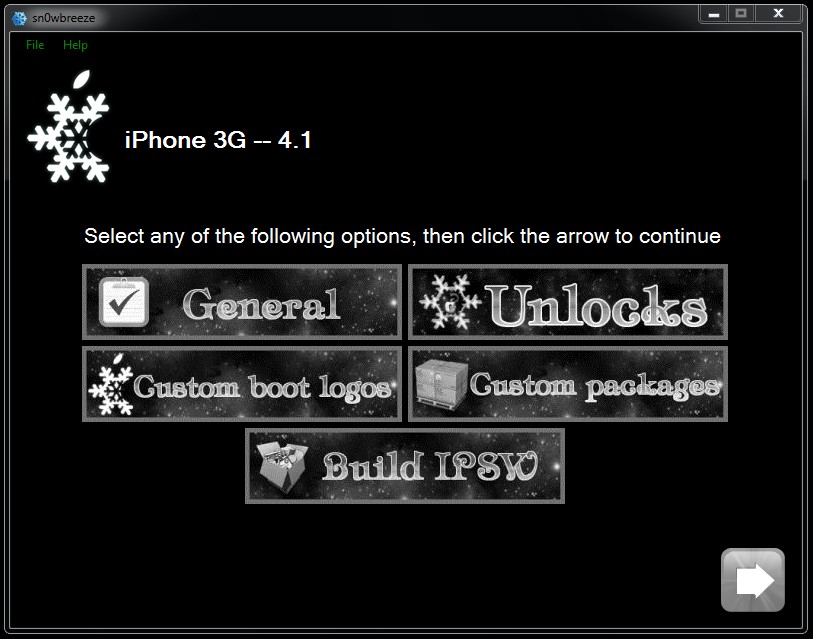
GUIDE: Jailbreak iOS4.1 with sn0wbreeze 2.0.2 (no baseband update) [3G/3GS iPod Touch 1G/2G/3G]

This guide will guide you through the process of creating a custom ipsw file to upgrade to a jailbroken iOS4.1 on your device. This is the Windows equivalent to PwnageTool created by iH8sn0w. Make sure you are already jailbroken and have your SHSH blobs saved on the Cydia server in case you need them to revert back. For this guide, I used an iPhone 3G but you can use any device supported.


Devices supported:
  • iPhone 2G
  • iPhone 3G
  • iPhone 3GS (old bootrom)
  • iPod Touch 1G
  • iPod Touch 2G
  • iPod Touch 3G - running 3.1.2
System requirements for sn0wbreeze:
  • Windows XP, Vista or 7 (32 bit or 64 bit)
  • .NET framework 2.0
Downloads:
1. sn0wbreeze 2.0.2
2. iPhone firmware file or iPod Touch firmware file


Step 1
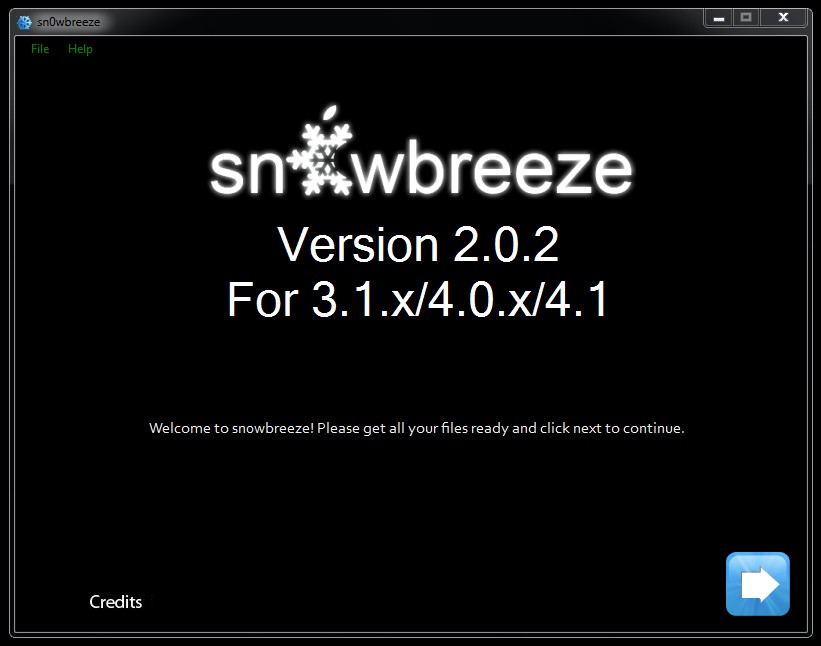
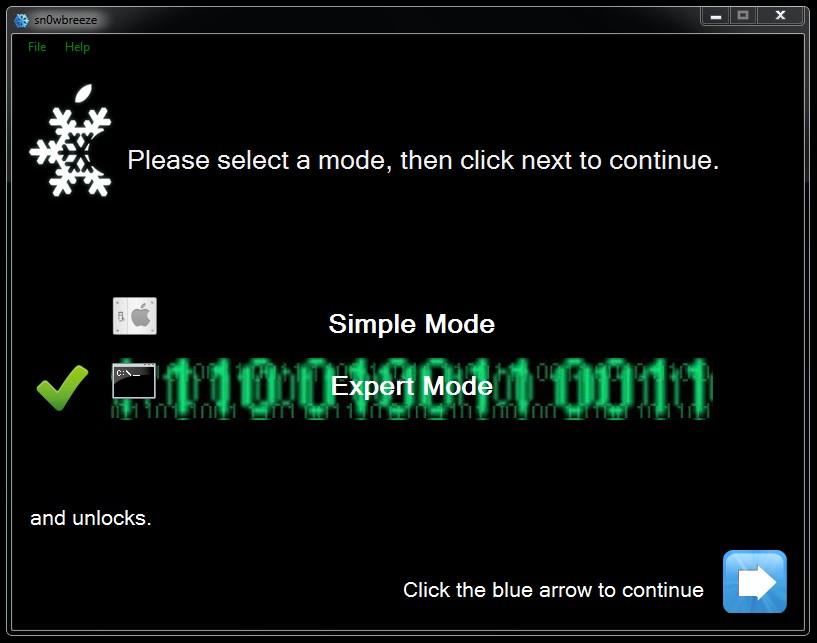
Launch sn0wbreeze v2.0.2


As you can see, this version of sn0wbreeze works on 3.1.x, 4.0 and 4.1.


Step 2
Select the mode you want to use. I choose Expert Mode so that I can choose my options.


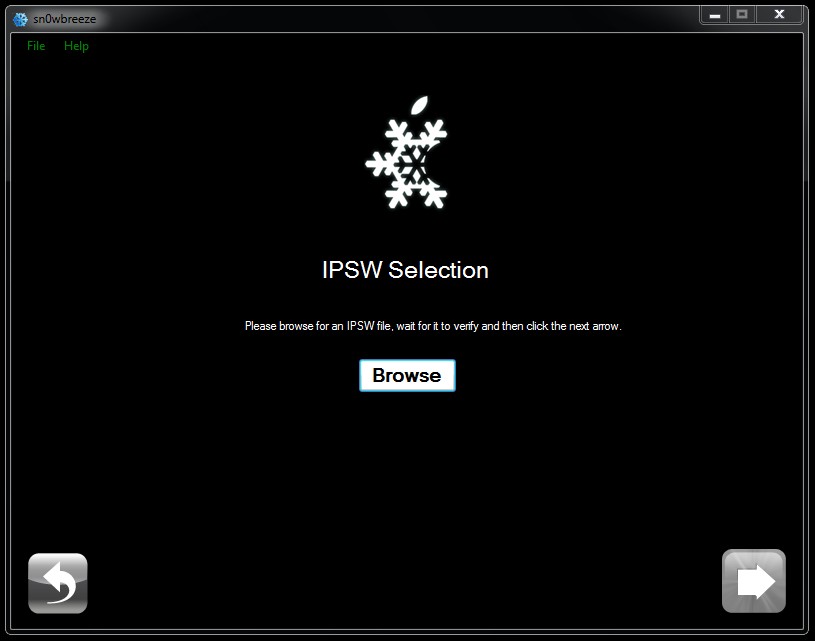
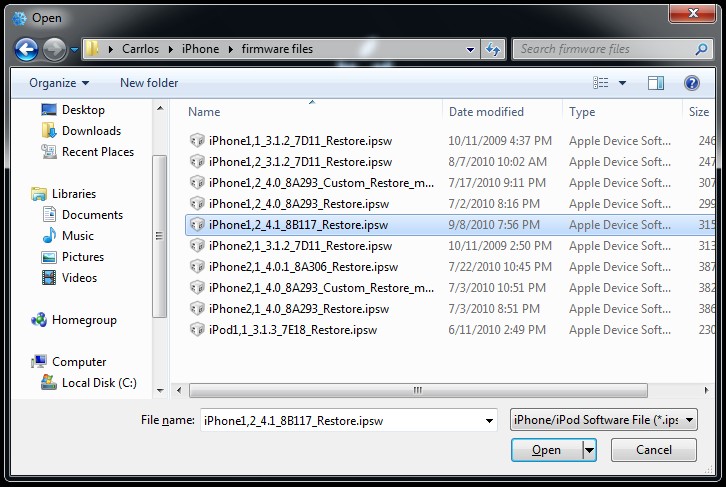
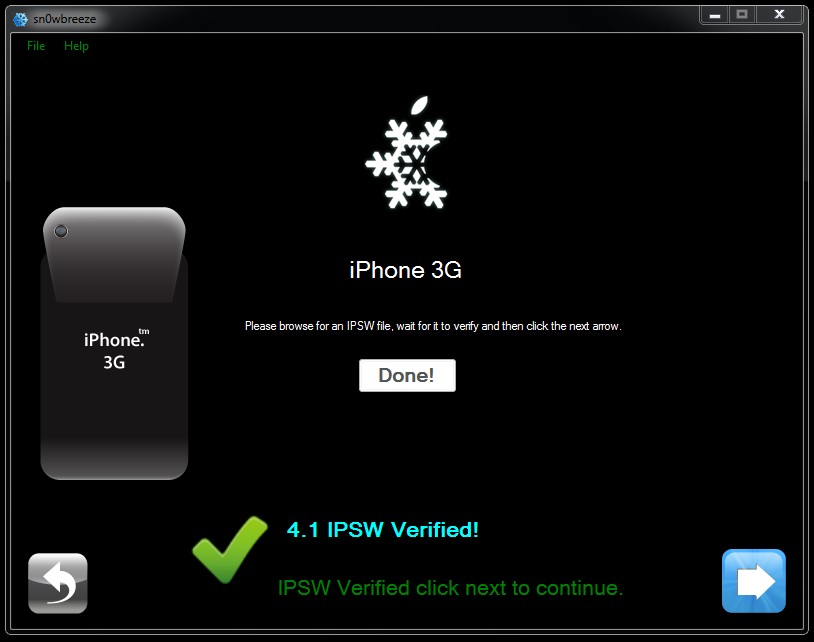
Step 3
Select the firmware file that you downloaded for you device.


Step 4
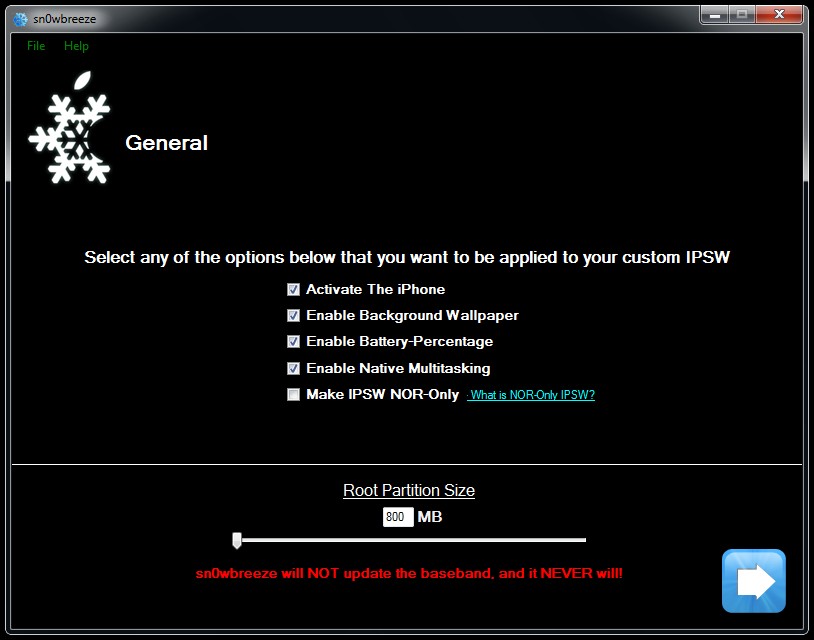
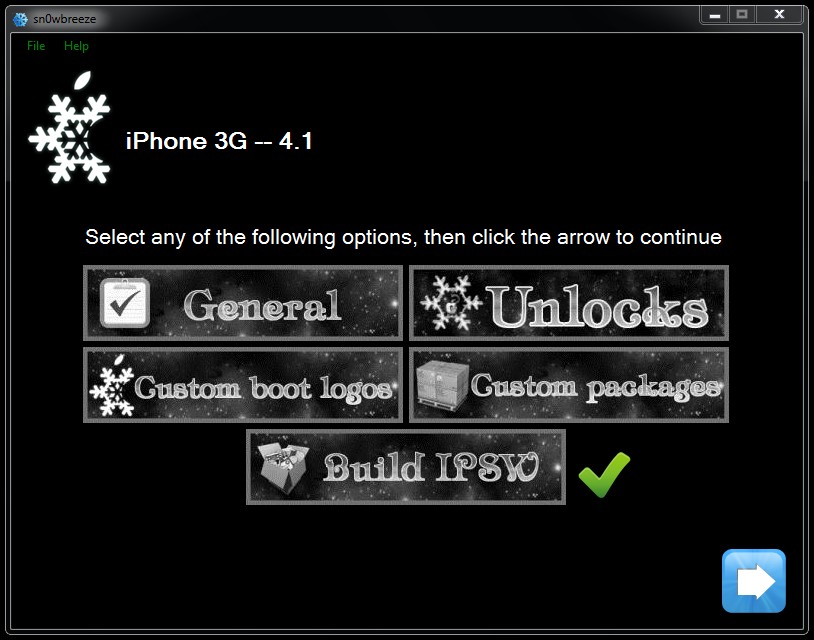
Select the options you want for your custom ipsw file.


Here are the various General options:


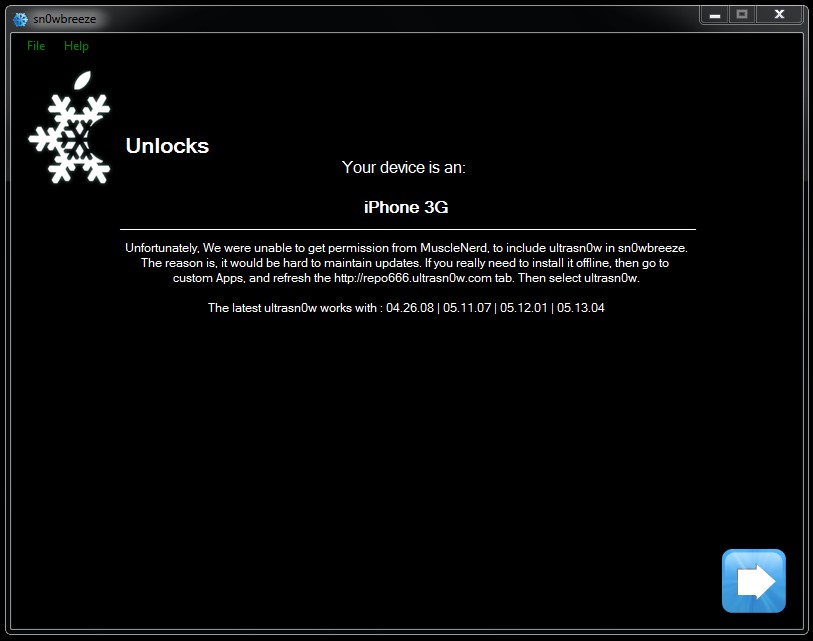
You still have to unlock through ultrasn0w in Cydia:


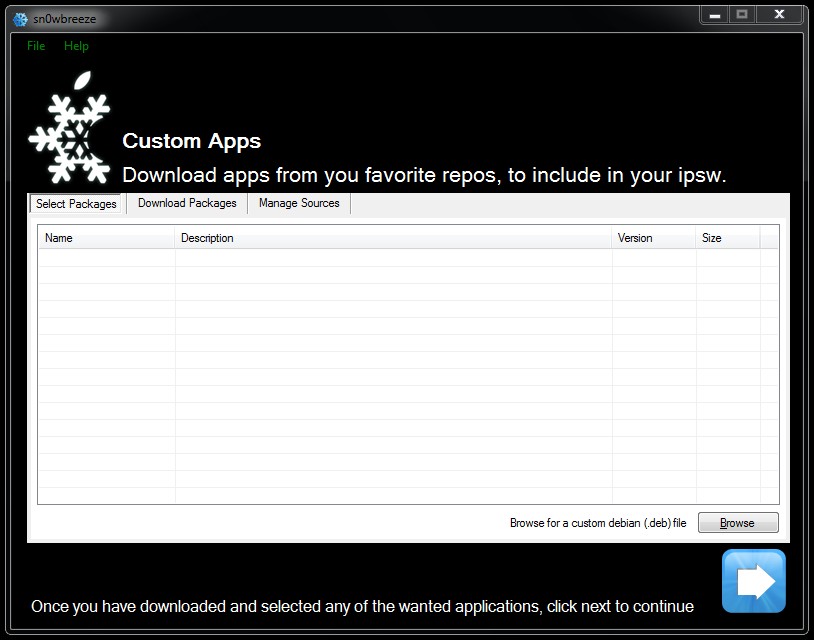
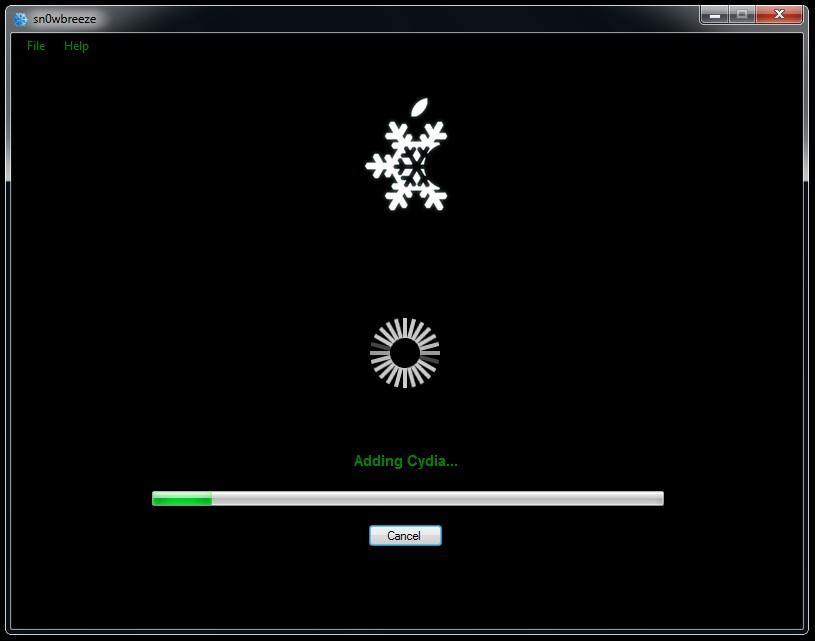
At this step you can pre-install any of your favorite apps and/or sources:


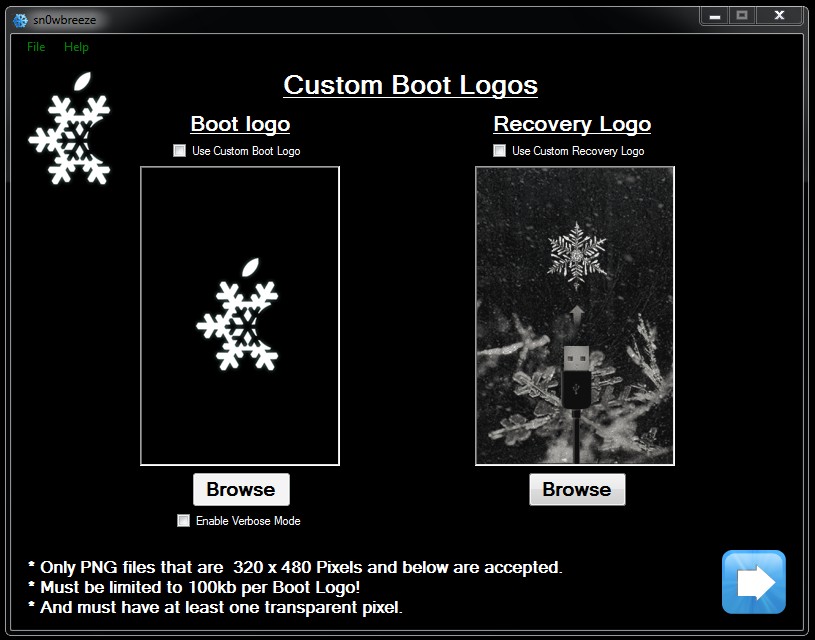
Enable any custom boot logo you want or use the sn0wbreeze default logos:


Step 5
Now you can build your custom ipsw file.


Step 6
Place your phone in Recovery Mode, launch iTunes and shift-click Restore to
your custom ipsw!


*If you need to unlock, you can install ultrasn0w through Cydia!


Credit goes to maXimus of iphonemodding.com for making this guide

PwnageTool 4.1.1 Update for iOS 4.1 Jailbreak Released

From Redmondpie.com

The iPhone Dev Team has just released PwnageTool 4.1.1. This is more of a bug fix release which fixes issues for Mac OSX 10.5.x Leopard users.
PwnageTool 4.1 (2)
PwnageTool 4.1.1 http://is.gd/g9PDf should fix any issues OSX 10.5.x users were seeing (no need to re-run it otherwise!)
If the last version worked for you, there is absolutely no need to rerun the jailbreak using PwnageTool 4.1.1. Our full step by step guides on how to jailbreak iOS 4.1 using PwnageTool can be found on the links given below:
Download PwnageTool 4.1.1 for Mac
Download iTunes 10.0.1 for Windows and Mac OS X
Download iOS 4.1 for iPhone 4, 3GS, 3GS and iPod touch 4G / 3G
Download iOS 4.1 for Apple TV 2G
Download iOS 3.2.2 for iPad

Welcome To The Queer Gadgetista!

Welcome to the queer gadgetista! If you're gay (like me) and you like gadgets, then this is the blog for you!


Sample text

Sample Text

Sample Text

 
Blogger Templates